Examples
Submit jobs
There are several examples in example folder.
For Si and C, both VASP and CASTEP input files are prepared in the folder, and for Mg, only CASTEP input file is prepared.
The user can run these examples by following steps
- For copy right, the author can’t provide the RunCASTEP.bat or RunCASTEP.sh (for CASTEP) and POTCAR (for VASP) files. The user should provide these file in the current folder.
- For CASTEP, the user should copy RunCASTEP.bat or RunCASTEP.sh in their Materils Studio installation folder.
- For VASP, the user should provide the POTCAR file
- Submit the job
There are several ways to submit the job.
- Using elastic3rd run command.
- Using the runElastic3rd.py (in example folder) script by running python runElastic3rd.py. If the user want to save the log into file, please run python runElastic3rd.py >> Result.txt
- Submit jobs in queue system. If the user want to run Elastic3rd in queue system, the following is an example. Please note that it assume the python and vasp is exists in the PATH
#PBS -l nodes=1:ppn=24
#PBS -l walltime=48:00:00
#PBS -l pmem=8gb
#PBS -A open
#PBS -j oe

cd $PBS_O_WORKDIR

python runElastic3rd.py
Post
There are several ways to do the post processing.
- Using elastic3rd post command
Assumpt that the current folder is the folder where the job has been submitted. When enter the current folder, the user can do the post process by elastic3rd post to get the SOECs and TOECs. For more options, please run elastic3rd post -h.
For test, the user can run elastic3rd post in the example/Si/CASTEP folder directly. It should print the following lines in the screen.
ELASTIC3RD version: 2.5.1
Copyright © FGMS @ HIT

BaseVec:
     5.4647128853     0.0000000210     -0.0000000454
     -0.0000000000     5.4647128382     -0.0000000222
     0.0000000000     0.0000000000     5.4647129020
Lattice Parameter:
    a         b         c      alpha   beta    gamma
5.464713  5.464713  5.464713  90.000  90.000  90.000
Volume : 163.1931949715094

[11 12 44]
[153.05111127  65.0171889   73.22518077]
[111 112 123 144 155 456]
[-703.9889652  -435.4462948   -88.79485798   71.7458725  -257.35598339
  -51.04707056]
- Using Elastic3rdPost.py script
Change some parameters (e.g. Flag_Ord) by the user, then run python Elastic3rdPost.py
By running this script, it will print the following thing in the screen and show some figures of fitting result (here only show 1 figure)
BaseVec:
     5.4647128853     0.0000000210     -0.0000000454
     -0.0000000000     5.4647128382     -0.0000000222
     0.0000000000     0.0000000000     5.4647129020
Lattice Parameter:
    a         b         c      alpha   beta    gamma
5.464713  5.464713  5.464713  90.000  90.000  90.000
Volume : 163.1931949715094

[  77.22101104 -117.33149423]
[ 217.27559666 -670.10928332]
[218.3870861   26.16025386]
[ 227.66199634 -632.04346107]
[  424.89246807 -1747.1282253 ]
[ 439.3186686  -408.37656319]
[153.05111127  65.01718889  73.22518077]
[-703.98896537 -435.44629486  -88.79485803   71.74587404 -257.35598342
  -51.0470704 ]
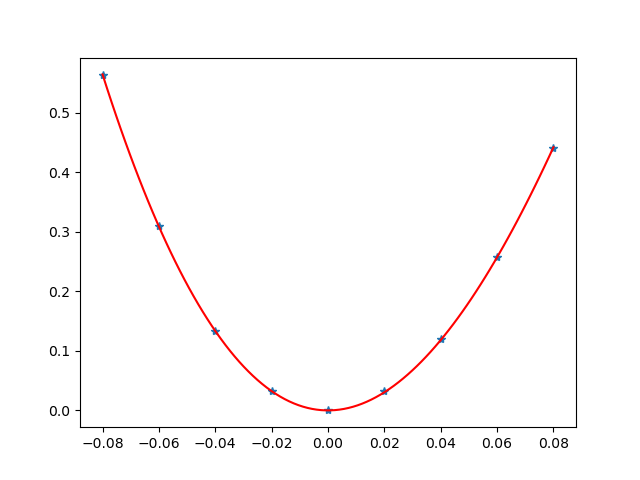
- By calling the post or post_single or post_mode from elastic3rd.post.post
Ref Elastic3rdPost.py.